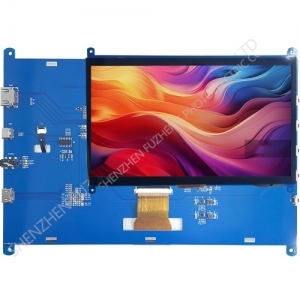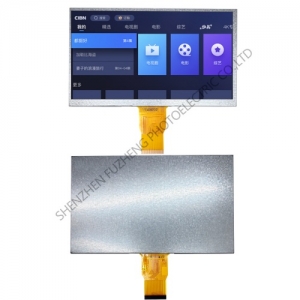

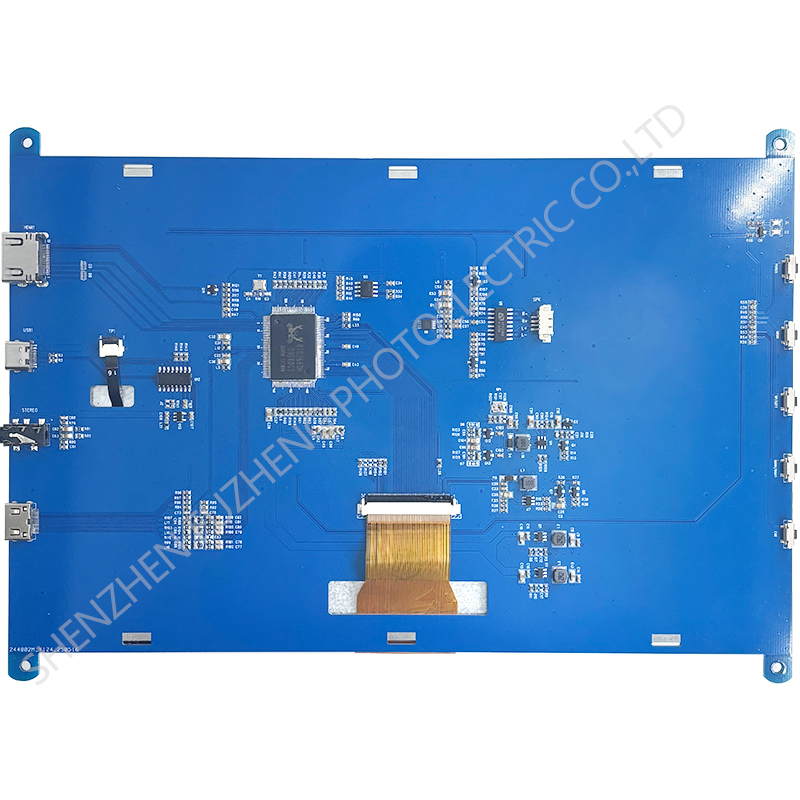
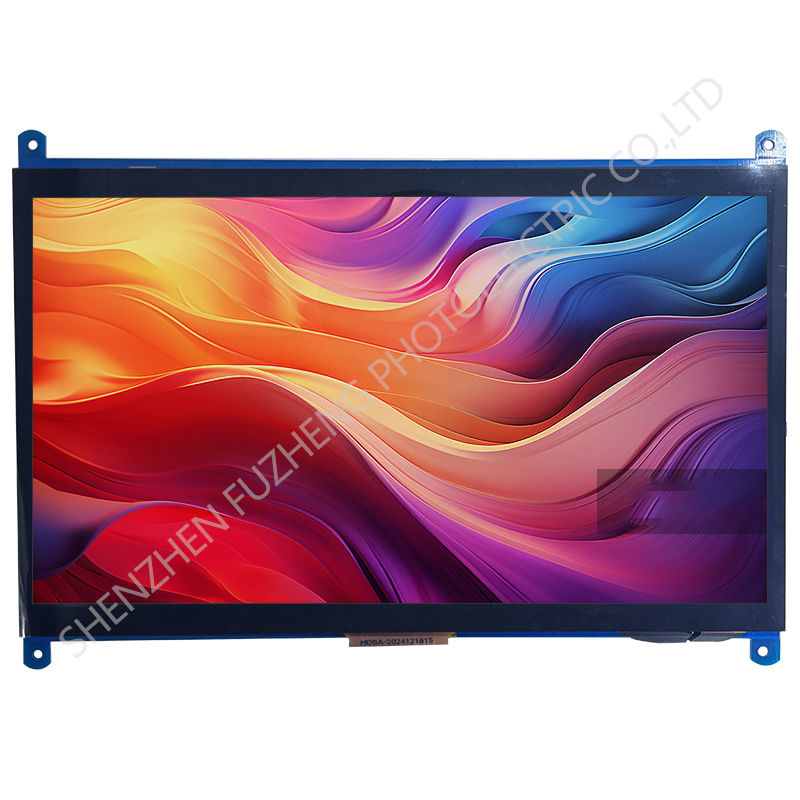
10.1 inch TFT RGB display 1024*600 with touch screen
FZ1001R50-TP is a color active matrix LCD module incorporating amorphous silicon TFT (Thin Film Transistor). It is composed of a color TFT-LCD panel, driver IC, FPC and a back light unit. The module display area contains 1024x 600pixels. This product accords with RoHS environmental criterion.
| Item | Contents | Unit |
| Model | FZ10L140-TP | |
| LCD Type | TFT | / |
| Viewing direction | ALL | O' Clock |
| Size | 10.1 inch | inch |
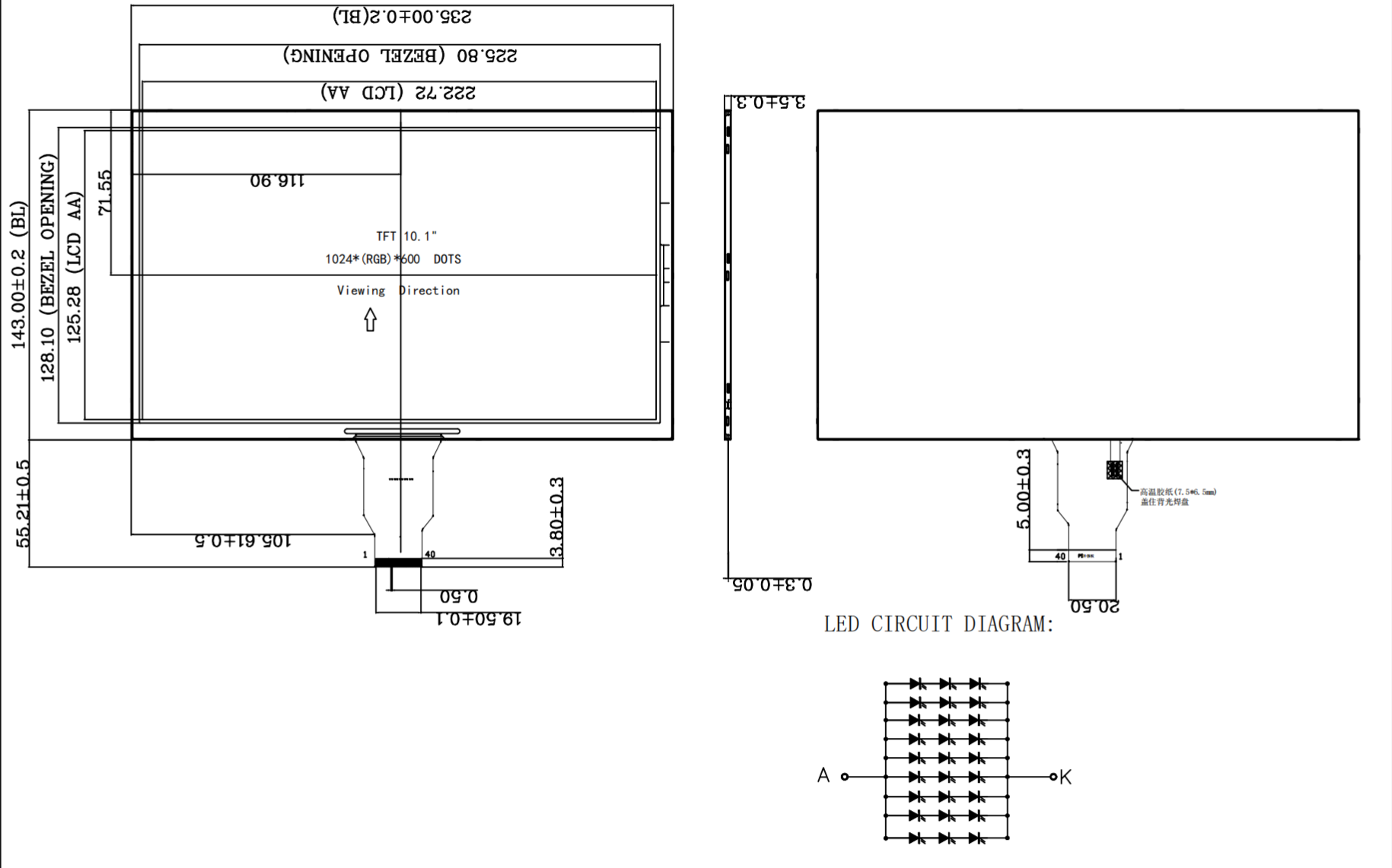
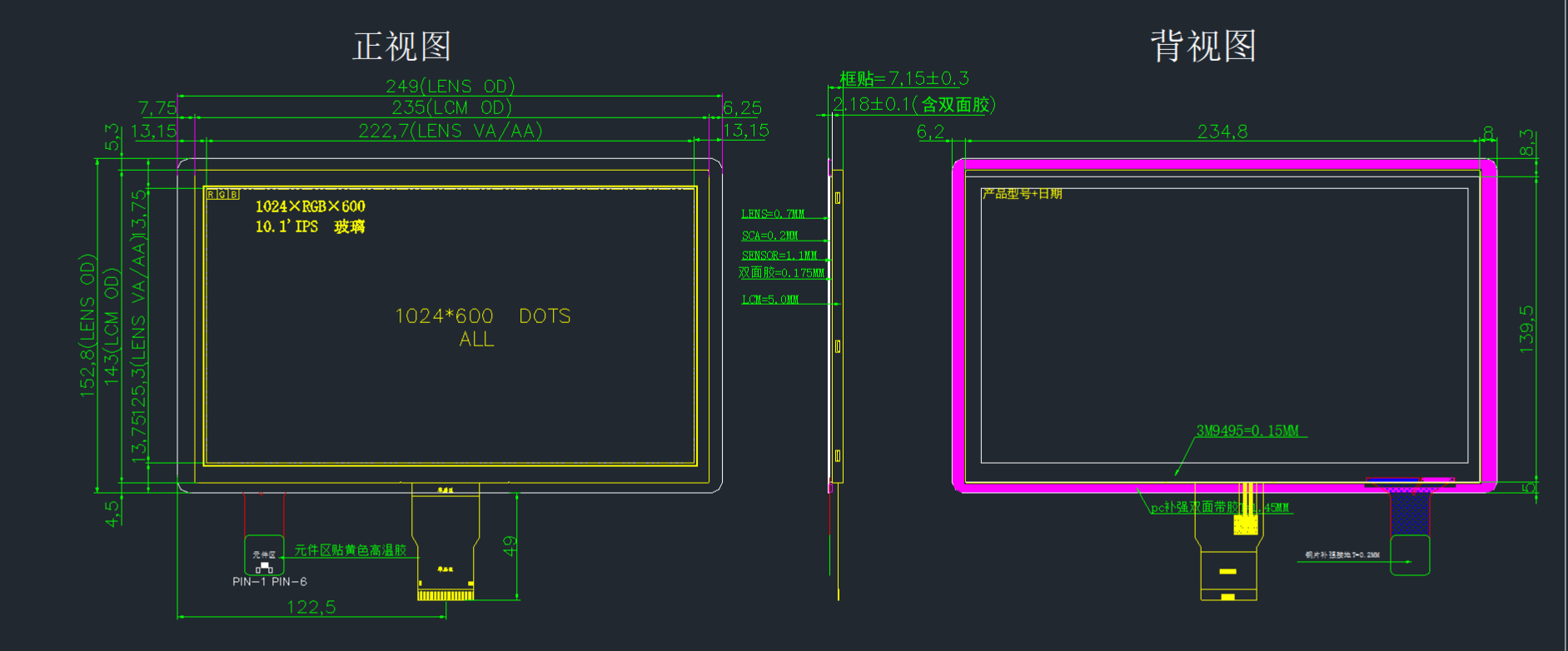
| Module outline (W x HxD) | 235x143x3.5 | mm |
| Active area (WxH) | 222.72x125.28 | mm |
| Resolution (pixels) | 1024(RGB) x600 | / |
| Interface Type | Parallel RGB 24-bit | / |
| Input voltage | 3.3 | V |
| Luminance | 400 | cd/m2 |
| Backlight type and color | 6*7chips white LED | |
| Controller IC | ||
| Touch type | CTP (capacitive touch panel) | |
| LED Life span: | 30000 | hour |
| Operating temperature range: | -20 -- 70 °C | |
| Storage temperature range: | -30 -- 80 °C |
ELECTRICAL CHARACTERISTICS
Item | Symbol | Values | Unit | Remark | ||
Min. | Typ. | Max. | ||||
Power Voltage | DVDD | 3.0 | 3.3 | 3.6 | V | |
AVDD | 10.65 | 10.85 | 11.05 | V | ||
VGH | 20 | 21 | 22 | V | ||
VGL | - | -8 | - | V | ||
Input signal voltage | VCOM | 3.6 | 3.8 | 4.2 | V | |
Input logic high voltage | VIH | 0.9VDD | - | DVDD | V | |
Input logic low voltage | VIL | 0 | - | 0.1DVDD | V | |
Note1:If users use the product out off the environmemtal operation range(temperature and humidity),it will have visual quality concerns.
Note2:Be sure to apply DVDD and VGL to the LCD first,and then apply VGH
Note3:DVDD setting should match the signals output voltage(refer to Note4)of customer's system board.
Note4:DCLK,HS,VS,RESET,U/D,L/R,DE,R0-R7.G0-G7,B0-B7,MODE,DITHB.
Note5:Typical VCOM is only a reference value,it must be optimized according to each LCM. Please ues VR and base on below application circuit.
Current Consumption
Item | Symbol | Values | Unit | Remark | ||
Min. | Typ. | Max. | ||||
Current for Driver
| IGH | - | 0.50 | 1 | mA | VGH=18.0V |
IGL | - | 0.50 | 1 | mA | VGL=-6.0V | |
IVDD | - | 8 | 15 | mA | VDD=3.3V | |
IAVDD | - | 30 | 40 | mA | AVDD=9.6V | |
BACKLIGHT CHARACTERISTICS
Item | Symbol | Min | Typ | Max | Unit | Condition |
Forward voltage | Vf | - | 9.0 | - | V | If=140mA |
Luminance | Lv | - | 400 | - | cd/m2 | If=140mA |
Number of LED | -- | 42 | Piece | -- | ||
Connection mode | P | 6chips serial *7 | -- | -- | ||
INTERFACE PIN CONNECTIONS
Pin.No | Symbol | Function |
1,2 | NC | NC |
3,4 | NC | NC |
5 | GND | Power ground |
6 | VCOM | Common Voltage |
7 | DVDD | Digital Power |
8 | MODE | DE/SYNC mode select. Normally pull high H: DE mode. L: HSD/VSD mode |
9: | DE | Data Enable signal. |
10 | VSD | Vertical sync input. Negative polarity |
11 | HSD | Horizontal sync input. Negative polarity |
12-19 | B7-R0 | Blue Data |
20-27 | G7-G0 | Green Data |
28-35 | R7-R0 | Red Data |
36 | GND | Ground |
37 | DCLK | Colock signal |
38 | GND | Ground |
39 | SHLR | Left or Right Display Control |
40 | UPDN | Up / Down Display Control |
41 | VDDG | Positive Power for TFT |
42 | VEEG | Negative Power for TFT |
43 | AVDD | Analog Power |
44 | RSTB | Global reset pin. Active low to enter reset state. Suggest to connecting with an RC reset circuit for stability. Normally pull high. (R=10KΩ,C=1μF) |
45 | NC | Not connect |
46 | VCOM | Common Voltage |
47 | DITH | Dithering setting DITH=”H” 6bit resolution(last 2 bit of input data truncated) DITH=”L” 8bit resolution(default setting) |
48 | GND | Power ground |
49 | NC | Not connect |
50 | NC | Not connect |
TP-PIN
1 | RST | Touch Reset Signal |
2 | VDD | Touch Power supply |
3 | GND | Ground |
4 | INT | Touch Interrupt |
5 | SDA | ouch IIC Data signal |
6 | SCA | Touch IIC Clock signal |
SPECIFICATIONS & PROJECT FIT
Check the details for your exact model
This product is listed by SHENZHEN FUZHENG PHOTOELECTRIC CO..LTD. Use the technical tables and drawings on this page to compare the model with your design.
Match the electrical interface
Check the interface type, connector, pin assignment, supply voltages and timing against your host board. Size and resolution alone do not establish compatibility.
Check the mechanical fit
Compare module outline, active area, thickness and cable position with your enclosure. Include the touch panel and mounting requirements in the comparison.
Confirm the document revision
Use the PDF link when provided. If a drawing, pinout, test condition or revision is missing, request the model-specific document before design approval.
Agree the order details
Confirm the exact model or variant, sample quantity, delivery schedule and applicable warranty terms with the team before ordering.
Where should I confirm specifications?
Use the specifications on the selected product page. Ask the team for the current datasheet and confirm any missing values before selection or ordering.
How do I request pricing and availability?
Include the model, quantity and delivery destination in your inquiry. Pricing, availability and compatibility should be confirmed for your specific request.
Question about a value or document? Send the product URL, the specification in question and any document revision to Victory.Wang@szfuzheng.com.